Follow this step-by-step tutorial.
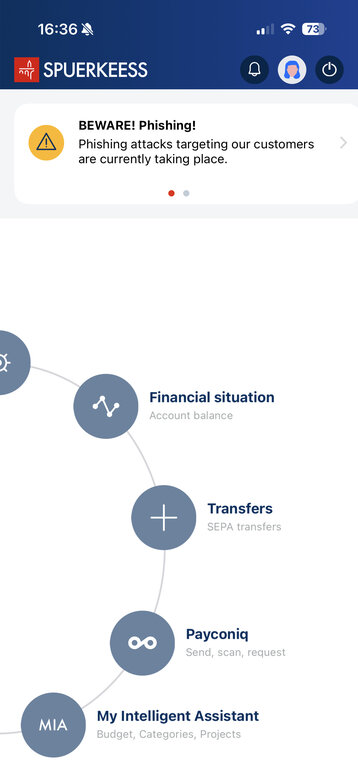
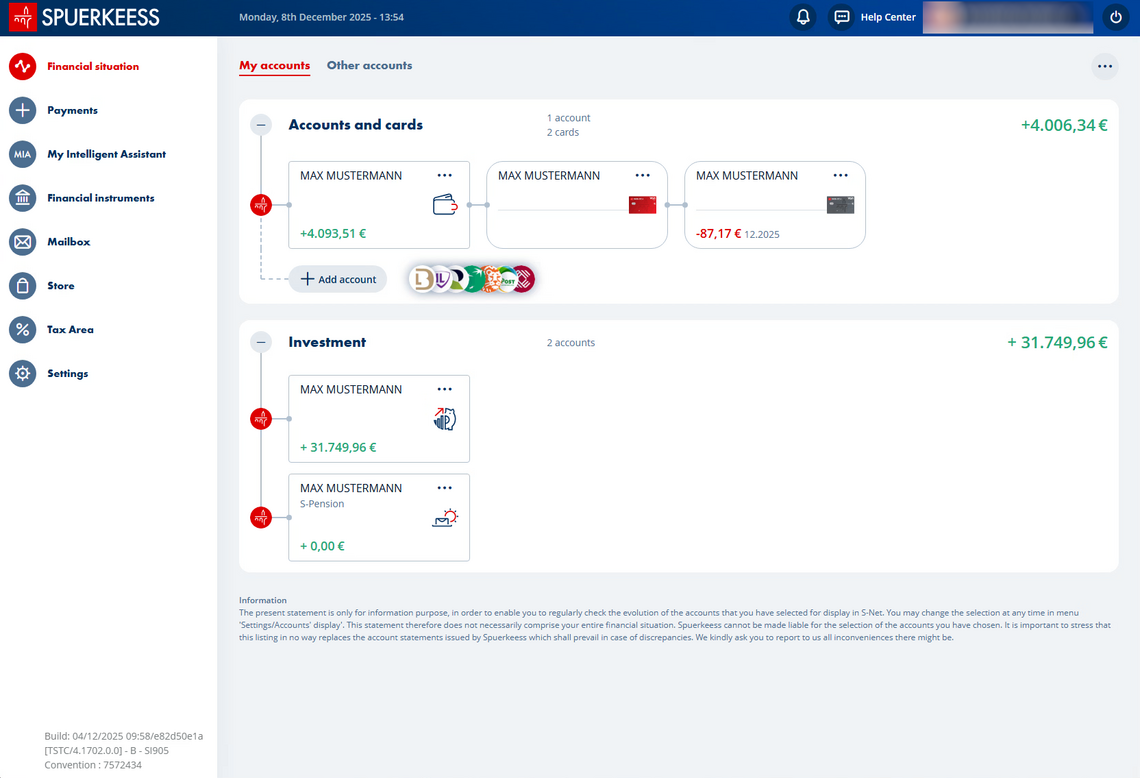
1/6 Open your “Financial situation”
2/6 Click on your S-Pension contract
3/6 Then select the '...' button and click 'Modify contract'.
4/6 Enter the amount to transfer (Reminder: you cannot transfer an amount exceeding the tax-deductible limit of EUR 4,500/year, i.e., EUR 375/month).
5/6 and the periodicity selected for your S-Pension contract.
6/6 Confirm the transfer
Did you find this guide useful?
Thank you for your participation
1/5 Open your “Financial situation”
2/5 Then select the '...' button and click 'Edit contract'.
3/5 Enter the amount to transfer (Reminder: you cannot transfer an amount exceeding the tax-deductible limit of EUR 4,500/year, i.e., EUR 375/month).
4/5 and the periodicity selected for your S-Pension contract.
5/5 Confirm the transfer
Contact us
Find a branch
Monday to Friday 8:00 am to 6:00 pm
No results