by following this step-by-step tutorial.
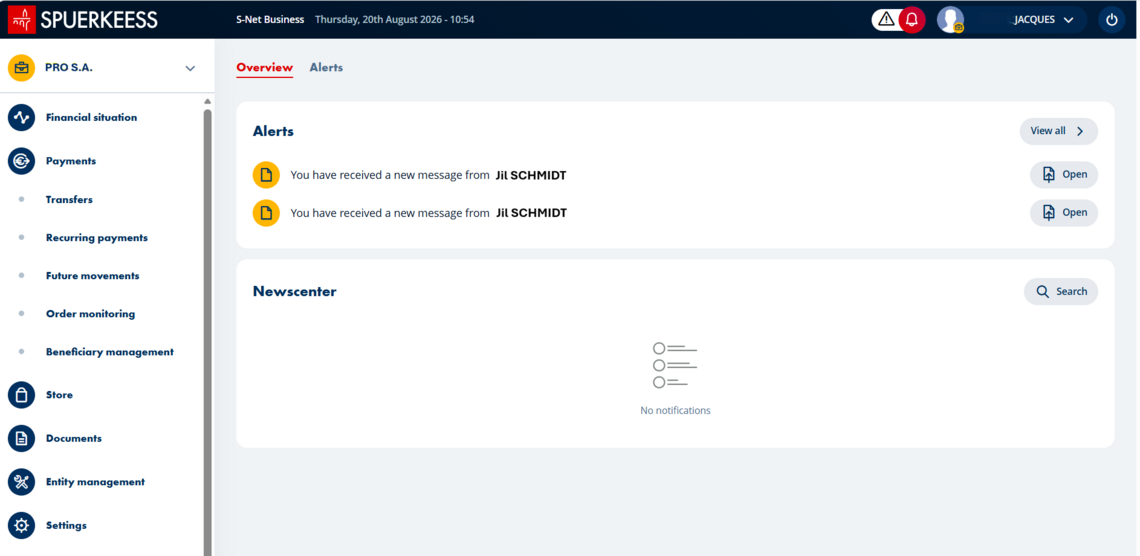
1/12 Open S-Net Business and click on the profile icon in the top right corner.
2/12 Select "My mailbox" to check your messages.
3/12 Choose a conversation from the list.
4/12 or perform a search.
5/12 Check your chat history.
6/12 Click on the "i" to view the sender's details.
7/12 Find all the information.
8/12 Click on the "Reply" button in the top right corner.
9/12 Write your message.
10/12 Add an attachment if needed (PDF, photo) by clicking the paperclip icon, then press "Send".
11/12 Need help? Tap the "Help Center" banner.
12/12 Contact your advisor directly or click "Write a message".
Did you find this guide useful?
Thank you for your participation
No results