Invest in your retirement for tomorrow – and start benefiting from tax advantages today
You haven’t reached your maximum deductible amount for this year yet?
Make a transfer in favour of your S-Pension contract directly via S-Net as of now. It’s easy and fast*!
*No later than 30 December of the ongoing year.
How to make a transfer to your S-Pension contract?
Follow this step-by-step tutorial.
1/6
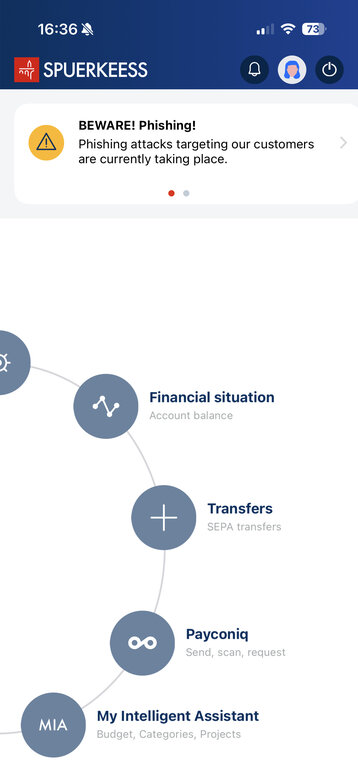
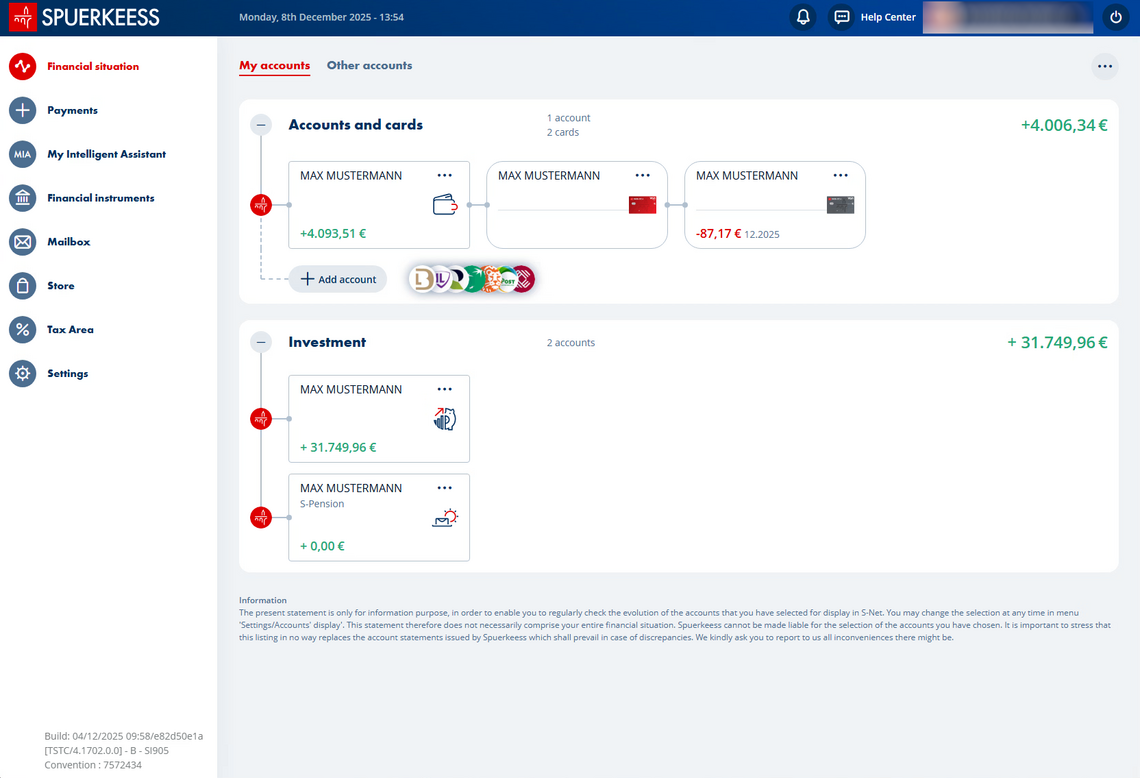
Open your “Financial situation”
2/6
Click on your S-Pension contract
3/6
Select the red “+” button
4/6
Click on "Deposit"
5/6
Enter the amount you want to add to your S-Pension contract (please note: it is not possible to credit the contract with an amount greater than that which is tax deductible)
6/6
Confirm the transfer
Did you find this guide useful?
Thank you for your participation
1/5
Open your “Financial situation”
2/5
Click on your S-Pension contract
3/5
Select the red “+” button
4/5
Enter the amount you want to add to your S-Pension contract (please note: it is not possible to credit the contract with an amount greater than that which is tax deductible)