Discontinuation of PUSH notifications sent by the LuxTrust Mobile app and introduction of QR code scan validation
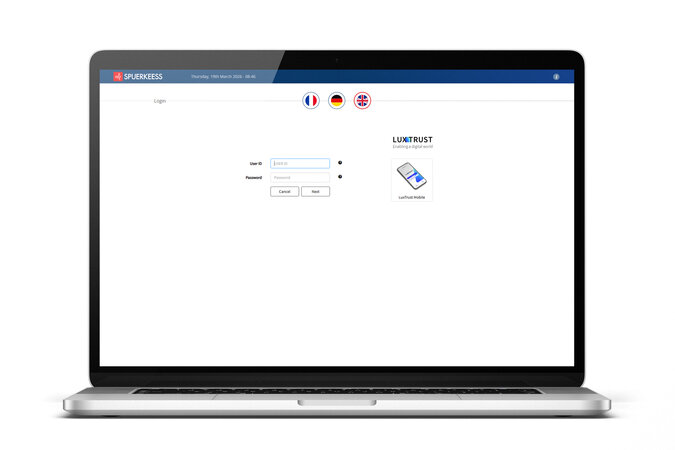
From now on, to log in to S-Net Desktop or to validate a transaction requiring LuxTrust on Desktop (example: a transfer to a new beneficiary), you must scan a QR code using the LuxTrust Mobile app.
You will no longer receive PUSH notifications from LuxTrust Mobile when logging in to S-Net Desktop.
Important
This change applies only to S‑Net Desktop. S‑Net Mobile and online card payments remain unaffected.
How does it work?
Enter your UserID and LuxTrust password.
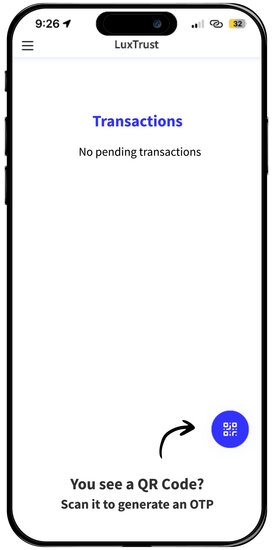
Open the LuxTrust Mobile app and select the “Scan” option located at the bottom right of the screen.
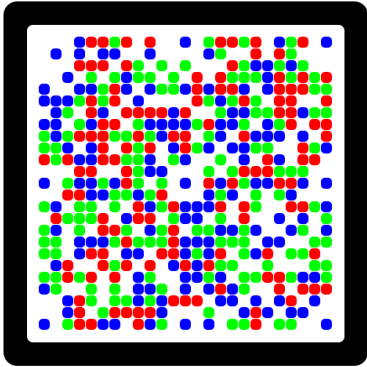
Scan the QR code.
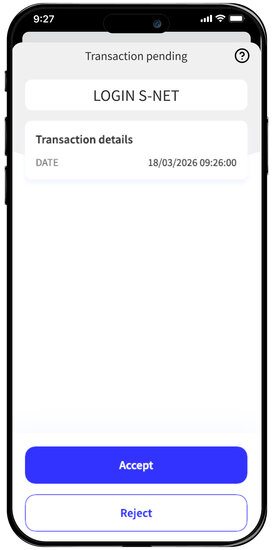
LuxTrust Mobile will then display the context (for example: S‑Net login, transfer validation, etc.).
After reviewing the operation you are about to validate, confirm by clicking “Accept”.
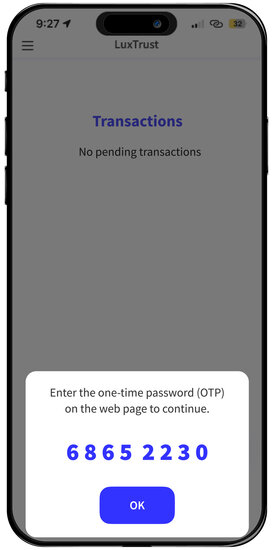
A one‑time password (OTP) will then be displayed and must be entered on the S-Net screen.
Please enter the 8 digits without spaces.
The one-time code is valid for approximately 1 minute.
Frequently Asked Questions
Yes, absolutely. The process is changing, but it remains straightforward.
No, the current LuxTrust Mobile app is sufficient.
No, neither S‑Net Mobile nor the validation of online card payments is affected by this change.